Introduction: What Is MOI Qatar Visa Check?
The MOI Qatar Visa Check is the official digital service provided by the Ministry of Interior (MOI) of Qatar. It allows travelers, expatriates, and residents to verify the real-time status of their visa applications online.
In 2026, Qatar has further integrated its immigration systems. Whether you are tracking a Visit Visa, Work Visa, or Residency Permit, the MOI portal (portal.moi.gov.qa) and the unified Metrash app act as the central hubs. This tool lets you confirm if your visa is Approved, Under Process, Rejected, or Ready for Printing without the need to visit government offices.

Visit Visas Qatar
Click Here For Tourist Visa To Visit Qatar

Permanent Residency
Permanent Residency in the State of Qatar

Police Clearance Certificate
Conditions for obtaining Police Clearance Certificate

MOI Forms
Department Forms in the State of Qatar

Tenders & Auctions
Check Advertisement for Tender / Bidding

Related Websites
Related Websites in the State of Qatar
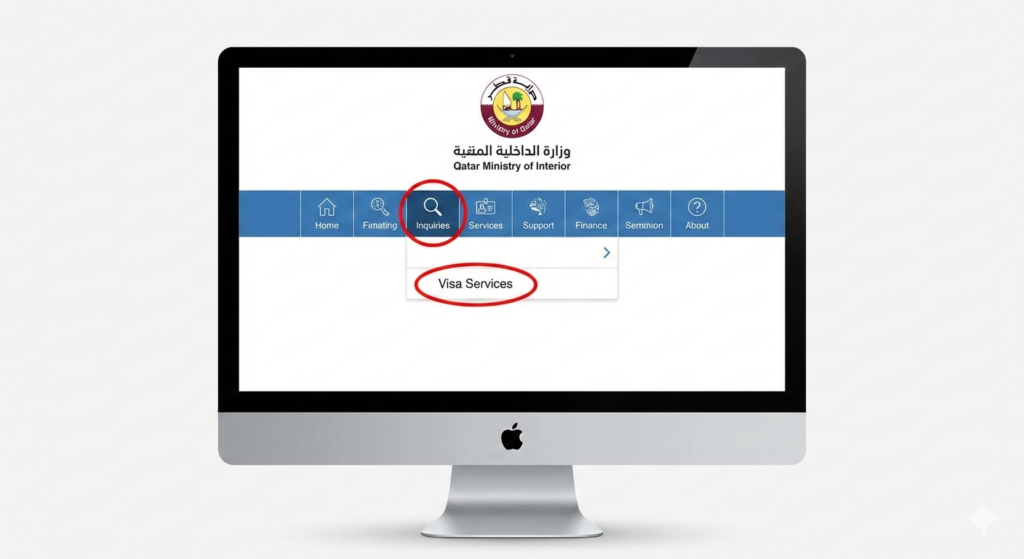
Table of Contents
- Why You Must Track Your Qatar Visa Status
- Overview of Qatar Visas (2026 Update)
- Step-by-Step: How to Check Your Visa on the Official MOI Website
- How to Check Qatar Visa Status by Passport Number
- Qatar Visa Check via Metrash2 (Metrash) Mobile App
- Using Qatar Visa Center (QVC) for Work Visas
- How to Interpret Your Visa Status Results
- Common Issues & How to Fix Them
- MOI Qatar Contact Info & Help Resources
- FAQs on MOI Qatar Visa Check
- Conclusion
Why You Must Track Your Qatar Visa Status
Regularly performing a Qatar visa inquiry is critical for a smooth journey. Delays or status changes can happen without direct notification.
Key Benefits of Checking Online:
- Know Your Approval Status: Instantly see if you are clear to travel.
- Avoid Airport Issues: Airlines will deny boarding if your visa shows “Invalid” or “Under Process” in the system.
- Print Your Visa: You can download the official PDF copy directly from the site once status is “Ready to Print.”
- Track Medical/Biometrics: For work visas, see if your medical tests (via QVC) have been cleared.
- Verify Validity: Check the exact visa expiry date to avoid overstay fines (currently 200 QAR/day).
Overview of Qatar Visas (2026 Update)
Before checking, ensure you know which platform matches your visa type:
| Visa Type | Best Tracking Method | Description |
| Tourist / Hayya Visa | Hayya Portal | For leisure travelers and event attendees. |
| Family Visit Visa | MOI Portal / Metrash | For family members visiting residents. |
| Work Visa | MOI & QVC | Requires medical/biometric tracking via QVC first. |
| Residency (RP) | Metrash App | For long-term residents renewing IDs. |
Step-by-Step: How to Check Your Visa on the Official MOI Website
This is the most reliable method for the MOI Qatar visa check. It works on both mobile and desktop browsers.
Step 1: Visit the Official MOI Portal
Go to the Ministry of Interior website:
Step 2: Navigate to “Inquiries”
Look for the Magnifying Glass icon or the word “Inquiries” in the menu bar.
Step 3: Select “Visa Services”
In the sidebar menu, click on Visa Services.
Step 4: Click “Visa Inquiry & Printing”
Select the option labeled Visa Inquiry & Printing. This is the specific tool for tracking status.
Step 5: Enter Your Details
You will see options to search by:
- Visa Number (15 digits)
- Passport Number
TIP: Ensure you select your Nationality correctly from the dropdown menu, or the system will return “No Record Found.”
Step 6: Submit & View
Enter the 3-digit CAPTCHA code and click Submit. Your visa details, including validity and expiration, will appear instantly.
How to Check Qatar Visa Status by Passport Number
Don’t have your visa number yet? You can perform a Qatar visa check by passport number. This is common for new applicants whose sponsors haven’t sent the visa document yet.
- Open the MOI Visa Inquiry page.
- Click the radio button for Passport Number.
- Type your Passport Number exactly as it appears on your ID.
- Select your Nationality.
- Click Submit.
If a visa has been issued against your passport, the system will display the Visa Number and status automatically.
Qatar Visa Check via Metrash2 (Metrash) Mobile App
The Metrash2 app (often just called Metrash) is the powerhouse of Qatar government services.
How to Check on Metrash:
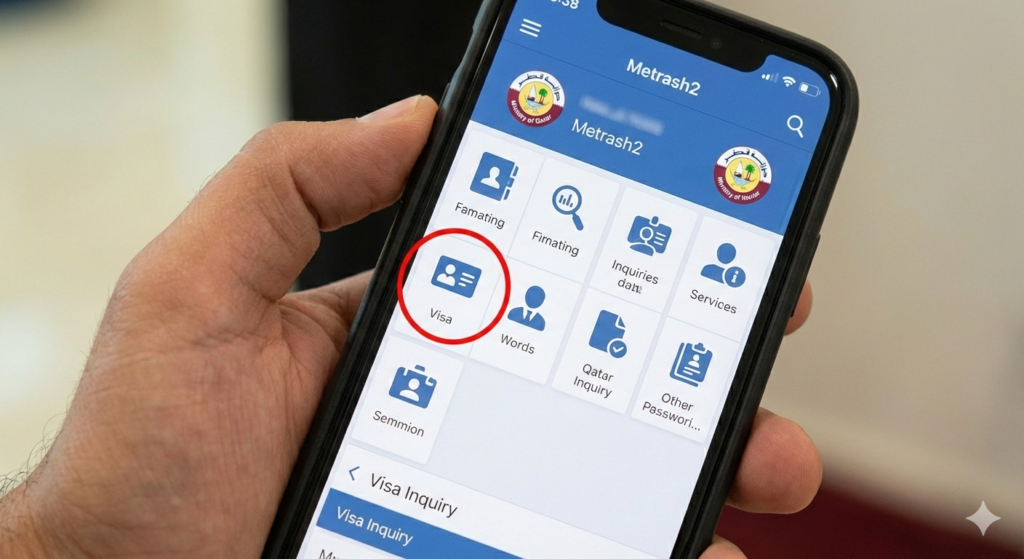
- Download: Get the app from the App Store or Google Play.
- Open “Inquiries”: You do not need to log in for basic visa checks. Tap “Inquiries” on the login screen.
- Select Visa: Tap Visa > Visa Inquiry.
- Input Data: Enter Visa Number or Passport Number.
- Result: The app shows real-time status.
Note: If you are a resident, logging in with your QID gives you a dashboard of all visas under your sponsorship (e.g., family or maids).
Using Qatar Visa Center (QVC) for Work Visas
If you are coming from countries like India, Nepal, Sri Lanka, Pakistan, or the Philippines for work, your process starts at the Qatar Visa Center (QVC).
How to Track QVC Status:
- Visit QatarVisaCenter.com.
- Select your country and language.
- Click “Track Application”.
- Enter your Passport Number and Visa Number.
- Check Stages: Look for status updates like “Medical Test Passed” or “Biometrics Completed.”
Once QVC marks your application as “Completed,” the final approval will reflect on the MOI portal.
8. How to Interpret Your Visa Status Results
The system uses specific terminology. Here is what the status messages mean:
| Status Message | Meaning | Action Required |
| Approved / Issued | Visa is valid and ready. | Download and Print. |
| Under Process | MOI is reviewing the application. | Wait 24-48 hours. |
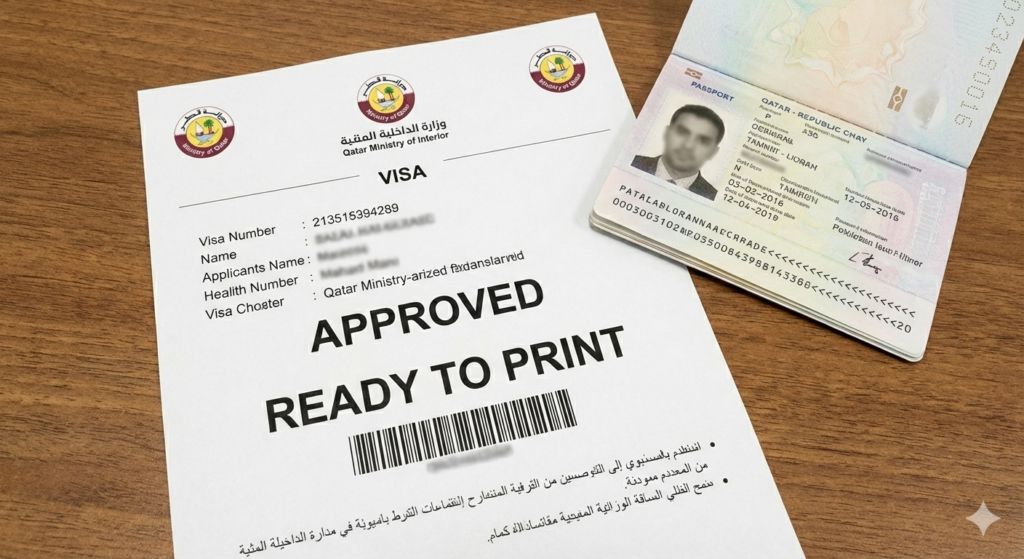
| Ready to Print | Approved, but fees may be pending. | Sponsor must pay fees to print. |
| Under Outside Process | Pending action at QVC (Medical/Bio). | Visit QVC website to track. |
| Rejected | Application denied. | Contact sponsor for reason. |
| Not Found | Incorrect details or not yet applied. | Check passport number/spelling. |
Common Issues & How to Fix Them
“No Record Found” Error
- Fix: Double-check the Nationality dropdown. This is the #1 error source. Ensure you aren’t confusing similar country names (e.g., Guinea vs. Guinea-Bissau).
CAPTCHA Invalid
- Fix: The MOI site CAPTCHA times out quickly. Refresh the page and type the code immediately.
“Under Process” for Weeks
- Fix: Ask your sponsor. If it takes longer than 4 weeks for a work visa, security clearance might be pending. Visit visas typically process in 1-3 days.
MOI Qatar Contact Info & Help Resources
If you face technical errors during your MOI Qatar visa check, use these official channels:
- 📞 Main Helpline: 109 (Inside Qatar)
- 📞 MOI Contact Center: +974 236 6666
- ✉️ Email: info@moi.gov.qa
- Technical Support: Helpdesk available via the Metrash App “Contact Us” section.
FAQs on MOI Qatar Visa Check
Q1. Can I travel with a digital copy of my visa? It is highly recommended to print a hard copy. While immigration officers can see it digitally, airlines often require a physical paper copy at check-in.
Q2. How much does it cost to check visa status? The MOI visa check is 100% free. You should never pay a third-party site to check your status.
Q3. My visa is “Ready to Print” but I can’t print it. This usually means the visa fees (approx. 200 QAR for visit visas) haven’t been paid yet. Your sponsor must pay this via Metrash or the MOI portal before the print option becomes active.
Q4. How do I check my Qatar ID (RP) status? Use the “Official Documents” inquiry on the MOI portal using your Passport Number or QID number.
Ready to check? Click here to visit the Official MOI Visa Inquiry Portal.